# Typography

## Typeface

To present a unified we recommend using the Dubai font for both the Arabic and English languages.

<table data-view="cards" data-full-width="false"><thead><tr><th></th><th></th><th data-hidden data-card-cover data-type="files"></th></tr></thead><tbody><tr><td><h2>Dubai Font</h2></td><td><a href="https://dubaifont.ae/download">Get Font </a></td><td><a href="/files/gl533FxBOYAqzk0qpaNU">/files/gl533FxBOYAqzk0qpaNU</a></td></tr><tr><td><em>The recommended typeface may be substituted with an alternative that better aligns with the reader's established brand identity, if deemed necessary. This adjustment should be made with careful consideration to maintain consistency with the intended tone and legibility standards outlined in these guidelines and the</em> <a href="https://www.w3.org/WAI/standards-guidelines/wcag/"><em>Web Content Accessibility Guidelines</em></a><em>.</em></td><td></td><td></td></tr></tbody></table>

## Type Scale Specification

**Type Scales** create a structured and effective visual hierarchy, guiding users through content with clarity and purpose. Each style serves a unique role in presenting information.

We recommend the Minor Third (1.2) type scale.

{% hint style="info" %}
Font should switch from Default to Large at >=1024px
{% endhint %}

{% tabs fullWidth="false" %}
{% tab title="Large" %}
**Large Desktop Typescale**

<table data-full-width="true"><thead><tr><th width="85">Variant</th><th width="155">Font Size</th><th width="98">Line Height</th><th width="112">Letter Spacing</th><th>Weight</th></tr></thead><tbody><tr><td>Display</td><td>76px (4.75rem)</td><td>64</td><td>-0.5%</td><td>Light, Regular, Medium &#x26; Bold</td></tr><tr><td>H1</td><td>54px (3.375rem)</td><td>56</td><td>-0.5%</td><td>Light, Regular, Medium &#x26; Bold</td></tr><tr><td>H2</td><td>45px (2.8125rem)</td><td>44</td><td>0%</td><td>Light, Regular, Medium &#x26; Bold</td></tr><tr><td>H3</td><td>37px (2.3125rem)</td><td>36</td><td>0%</td><td>Light, Regular, Medium &#x26; Bold</td></tr><tr><td>H4</td><td>32px (2rem)</td><td>32</td><td>0%</td><td>Light, Regular, Medium &#x26; Bold</td></tr><tr><td>H5</td><td>26px (1.625rem)</td><td>28</td><td>0%</td><td>Light, Regular, Medium &#x26; Bold</td></tr><tr><td>H6</td><td>22px (1.375rem)</td><td>28</td><td>0%</td><td>Light, Regular, Medium &#x26; Bold</td></tr><tr><td>Body</td><td>18px (1.125rem)</td><td>28</td><td>0%</td><td>Light, Regular, Medium &#x26; Bold</td></tr><tr><td>Caption</td><td>16px (1rem)</td><td>24</td><td>+1%</td><td>Light, Regular, Medium &#x26; Bold</td></tr><tr><td>Small</td><td>14px (0.875rem)</td><td>20</td><td>+2%</td><td>Light, Regular, Medium &#x26; Bold</td></tr></tbody></table>
{% endtab %}

{% tab title="Desktop " %}
&#x20;**Desktop Typescale**&#x20;

<table data-full-width="true"><thead><tr><th width="85">Variant</th><th width="155">Font Size</th><th width="98">Line Height</th><th width="112">Letter Spacing</th><th>Weight</th></tr></thead><tbody><tr><td>Display</td><td>68 px (3.556rem)</td><td>80</td><td>-1%</td><td>Light, Regular, Medium &#x26; Bold</td></tr><tr><td>H1</td><td>48 px (3rem)</td><td>56</td><td>-0.5%</td><td>Light, Regular, Medium &#x26; Bold</td></tr><tr><td>H2</td><td>40 px (2.5rem)</td><td>48</td><td>-0.5%</td><td>Light, Regular, Medium &#x26; Bold</td></tr><tr><td>H3</td><td>32 px (2.056rem)</td><td>40</td><td>0%</td><td>Light, Regular, Medium &#x26; Bold</td></tr><tr><td>H4</td><td>28 px (1.722rem)</td><td>32</td><td>0%</td><td>Light, Regular, Medium &#x26; Bold</td></tr><tr><td>H5</td><td>24 px (1.444 rem)</td><td>32</td><td>0%</td><td>Light, Regular, Medium &#x26; Bold</td></tr><tr><td>H6</td><td>20 px (1.222 rem)</td><td>28</td><td>0%</td><td>Light, Regular, Medium &#x26; Bold</td></tr><tr><td>Body</td><td>16 px (1 rem)</td><td>24</td><td>0%</td><td>Light, Regular, Medium &#x26; Bold</td></tr><tr><td>Caption</td><td>14 px (0.833 rem)</td><td>20</td><td>+1%</td><td>Light, Regular, Medium &#x26; Bold</td></tr><tr><td>Small</td><td>12 px (0.687 rem)</td><td>16</td><td>+2%</td><td>Light, Regular, Medium &#x26; Bold</td></tr></tbody></table>
{% endtab %}

{% tab title="Tablet" %}
**Tablet Typescale**

<table data-full-width="true"><thead><tr><th width="85">Variant</th><th width="155">Font Size</th><th width="98">Line Height</th><th width="112">Letter Spacing</th><th>Weight</th></tr></thead><tbody><tr><td>Display</td><td>60 px (3.75rem)</td><td>68</td><td>1%</td><td>Light, Regular, Medium &#x26; Bold</td></tr><tr><td>H1</td><td>44 px (2.75rem)</td><td>52</td><td>-0.5%</td><td>Light, Regular, Medium &#x26; Bold</td></tr><tr><td>H2</td><td>36 px (2.25rem)</td><td>44</td><td>-0.5%</td><td>Light, Regular, Medium &#x26; Bold</td></tr><tr><td>H3</td><td>30 px (1.875rem)</td><td>40</td><td>0%</td><td>Light, Regular, Medium &#x26; Bold</td></tr><tr><td>H4</td><td>26 px (1.625rem)</td><td>36</td><td>0%</td><td>Light, Regular, Medium &#x26; Bold</td></tr><tr><td>H5</td><td>22 px (1.375 rem)</td><td>32</td><td>0%</td><td>Light, Regular, Medium &#x26; Bold</td></tr><tr><td>H6</td><td>18 px (1.125 rem)</td><td>28</td><td>0%</td><td>Light, Regular, Medium &#x26; Bold</td></tr><tr><td>Body</td><td>16 px (1 rem)</td><td>24</td><td>0%</td><td>Light, Regular, Medium &#x26; Bold</td></tr><tr><td>Caption</td><td>14 px (0.875 rem)</td><td>20</td><td>+1%</td><td>Light, Regular, Medium &#x26; Bold</td></tr><tr><td>Small</td><td>12 px (0.75 rem)</td><td>16</td><td>+2%</td><td>Light, Regular, Medium &#x26; Bold</td></tr></tbody></table>
{% endtab %}

{% tab title="Mobile" %}
**Mobile Typescale**

<table data-full-width="true"><thead><tr><th width="85">Variant</th><th width="155">Font Size</th><th width="98">Line Height</th><th width="112">Letter Spacing</th><th>Weight</th></tr></thead><tbody><tr><td>Display</td><td>44 px (2.75rem)</td><td>52</td><td>-1%</td><td>Light, Regular, Medium &#x26; Bold</td></tr><tr><td>H1</td><td>36 px (2.25rem)</td><td>44</td><td>-0.5%</td><td>Light, Regular, Medium &#x26; Bold</td></tr><tr><td>H2</td><td>30 px (1.875rem)</td><td>40</td><td>0%</td><td>Light, Regular, Medium &#x26; Bold</td></tr><tr><td>H3</td><td>26 px (1.625rem)</td><td>36</td><td>0%</td><td>Light, Regular, Medium &#x26; Bold</td></tr><tr><td>H4</td><td>22 px (1.375rem)</td><td>32</td><td>0%</td><td>Light, Regular, Medium &#x26; Bold</td></tr><tr><td>H5</td><td>18 px (1.125rem)</td><td>28</td><td>0%</td><td>Light, Regular, Medium &#x26; Bold</td></tr><tr><td>H6</td><td>16 px (1rem)</td><td>24</td><td>0%</td><td>Light, Regular, Medium &#x26; Bold</td></tr><tr><td>Body</td><td>14 px (0.875rem)</td><td>20</td><td>0%</td><td>Light, Regular, Medium &#x26; Bold</td></tr><tr><td>Caption</td><td>14 px (0.875rem)</td><td>20</td><td>+1%</td><td>Light, Regular, Medium &#x26; Bold</td></tr><tr><td>Small</td><td>12 px (0.75rem)</td><td>16</td><td>+2%</td><td>Light, Regular, Medium &#x26; Bold</td></tr></tbody></table>
{% endtab %}
{% endtabs %}

***

## Class names used in DDS Components

| Default    | Light                    | Regular                      | Medium                     | Bold                   |
| ---------- | ------------------------ | ---------------------------- | -------------------------- | ---------------------- |
| `.display` | `.display.Light`         | `.display.Regular`           | `.display.Medium`          | `.display.Bold`        |
| `.h1`      | `h1.Light` , `.h1.Light` | `h1.Regular` , `.h1.Regular` | `h2.Medium` , `.h2.Medium` | `h2.Bold` , `.h2.Bold` |
| `.h2`      | `h2.Light` , `.h2.Light` | `h2.Regular` , `.h2.Regular` | `h2.Medium` , `.h2.Medium` | `h2.Bold` , `.h2.Bold` |
| `.h3`      | `h3.Light` , `.h3.Light` | `h3.Regular` , `.h3.Regular` | `h3.Medium` , `.h3.Medium` | `h3.Bold` , `.h3.Bold` |
| `.h4`      | `h4.Light` , `.h4.Light` | `h4.Regular` , `.h4.Regular` | `h4.Medium` , `.h4.Medium` | `h4.Bold` , `.h4.Bold` |
| `.h5`      | `h5.Light` , `.h5.Light` | `h5.Regular` , `.h5.Regular` | `h5.Medium` , `.h5.Medium` | `h5.Bold` , `.h5.Bold` |
| `.h6`      | `h6.Light` , `.h6.Light` | `h6.Regular` , `.h6.Regular` | `h6.Medium` , `.h6.Medium` | `h6.Bold` , `.h6.Bold` |
| `.bogy`    | `.body.Light`            | `.body.Regular`              | `.body.Medium`             | `.body.Bold`           |
| `.caption` | `.caption.Light`         | `.caption.Regular`           | `.caption.Medium`          | `.caption.Bold`        |
| `.small`   | `.small.Light`           | `.small.Regular`             | `.small.Medium`            | `.small.Bold`          |

## Typography variables

```css
:root {
  /* Font Weights */
  --font-weight-light
  --font-weight-regular
  --font-weight-medium
  --font-weight-bold

  /* Font Sizes */
  --font-display
  --font-h1
  --font-h2
  --font-h3
  --font-h4
  --font-h5
  --font-h6
  --font-body
  --font-caption
  --font-small
  
  --line-height-display
  --line-height-h1
  --line-height-h2
  --line-height-h3
  --line-height-h4
  --line-height-h5
  --line-height-h6
  --line-height-body
  --line-height-caption
  --line-height-small
}


```

## **Typography Token System Figma Setup Guide**&#x20;

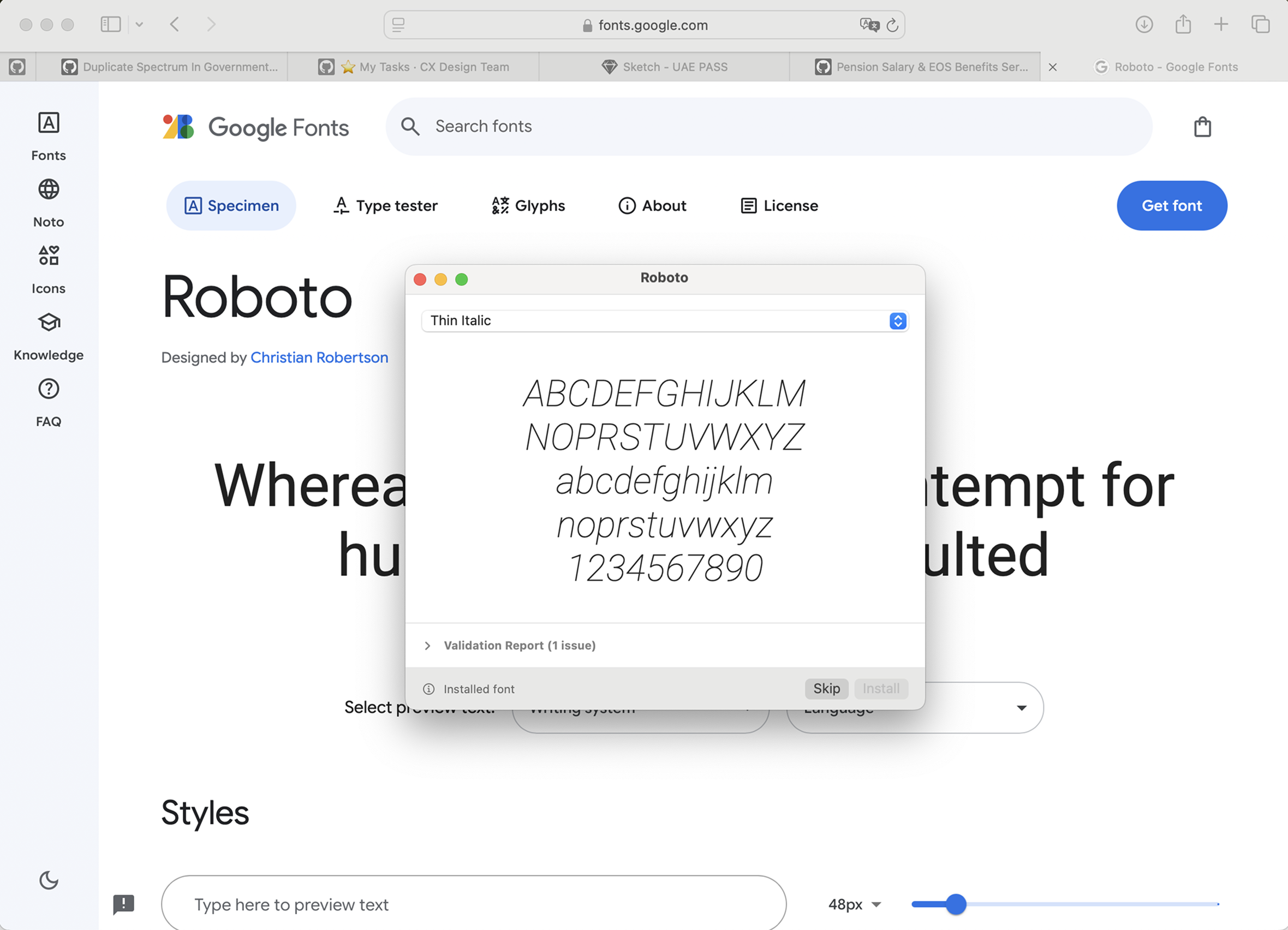
1\. Download and Install a New Font or Select from System Fonts.

<figure><img src="/files/We7zZVdslwNmucDj9TR5" alt=""><figcaption></figcaption></figure>

2\. Go to Local Variables and select the tokens you want to modify.

3\. Click the chevron to expand the list of collections in Local Variables.

4\. From the expanded list, select the “Typeface” collection.

5\. Modify the font name in the token system for Arabic and English. You can select a different font for each language if desired. Verify that the font names are correct by checking them against the system font list.

<figure><img src="/files/dNiy5AiMymYOrzIdwZcN" alt=""><figcaption></figcaption></figure>

***

## Best Practices

### **Hierarchy**&#x20;

Designers should emphasize clarity and readability by using a balanced type scale to establish a clear visual hierarchy. Instead of relying on color for emphasis, type size and weight should guide users through the content.

Use distinct headline levels (e.g., H1, H2, H3) with progressively smaller sizes as levels deepen. Consistent spacing between text elements reinforces this hierarchy; for example, ensure that headline-to-body spacing is larger than body-to-caption spacing. For optimal readability, apply bold weights to titles and headlines, while keeping body text and labels lighter for balanced visuals.

Ensure that headings follow a proper hierarchical order: **H1** first, then **H2**, followed by **H3**, etc. This structure enhances accessibility by assisting screen readers and search engines in understanding the content layout, making navigation logical and efficient. Refer to [WCAG ](https://www.w3.org/WAI/tutorials/page-structure/headings/)recommendation.&#x20;

### **Readability**

For optimal readability and visual consistency, avoid altering line height to maintain proper vertical spacing and alignment. Limit line length to 80 characters or fewer, enhancing readability while allowing for occasional exceptions. Use left alignment or centering as standard practice, reserving right alignment for Arabic text. Adjust font weights strategically to create emphasis and establish a clear content hierarchy. Ensure letter spacing remains consistent across products, with body text  spacing and minor increases applied to larger headlines to improve clarity without overcrowding. Refer to [WCAG](https://www.w3.org/WAI/WCAG21/Understanding/visual-presentation.html).&#x20;

### Contrast&#x20;

**Contrast Ratios**: Text should have a minimum contrast ratio of 4.5:1 against its background for regular text and 3:1 for large text (over 24px or bold text above 19px).

**Accessible Color Choices**: Ensure text on colored backgrounds meets appropriate contrast ratios, verified through a contrast checker.

**Interactive Elements**: Buttons, links, and other interactive elements should meet contrast standards and provide visual feedback on focus and hover states.

The W3C's Web Content Accessibility Guidelines (WCAG) 2.1 include Success Criterion 1.4.12, which focuses on text spacing to enhance readability for users with visual or cognitive disabilities. This criterion ensures that content remains functional and readable when users adjust text spacing. The key requirements are:

* **Line Height (Line Spacing):** At least 1.5 times the font size.
* **Spacing After Paragraphs:** At least 2 times the font size.
* **Letter Spacing (Tracking):** At least 0.12 times the font size.
* **Word Spacing:** At least 0.16 times the font size.

Authors are not required to set these exact spacings but must ensure that their content can adapt to these settings without loss of content or functionality. This adaptability allows users to modify text spacing according to their needs, improving their reading experience.

### **Tools to Check Contrast**

1. **WCAG Checker:** [Contrast](https://webaim.org/resources/contrastchecker/)
2. **Figma Plugin:** [Contrast](https://www.figma.com/community/plugin/748533339900865323)

***

## **Key Principles**

#### **Typography System Design**

To ensure a cohesive, readable, and accessible typographic experience, the following foundational choices were made:

<table><thead><tr><th width="138">Aspect </th><th width="243">Decision </th><th>Reason</th></tr></thead><tbody><tr><td><strong>Scale</strong> </td><td>Minor Third (~1.2×)</td><td>Provides balanced font size increments—more refined than linear scales, less abrupt than the Golden Ratio.</td></tr><tr><td><strong>Grid</strong> </td><td>4px Baseline</td><td>Ensures consistent vertical rhythm and pixel-perfect alignment.</td></tr><tr><td><strong>Large Screens</strong></td><td>Larger Headings</td><td>Reinforces visual hierarchy and improves scannability on spacious layouts.</td></tr><tr><td><strong>Letter Spacing</strong> </td><td>Tight for large, loose for small</td><td>Enhances readability and maintains visual balance at different text sizes.</td></tr></tbody></table>

**Relative Units**

Typography is built using relative units like `rem` and `em` instead of fixed `px` values. This ensures seamless scalability and adaptability across devices.

**4px Baseline Grid**

All **line-heights** are set as **multiples of 4px**, reinforcing a consistent **vertical rhythm**, predictable spacing, and clean alignment across all text elements.

This approach simplifies layout scaling and enhances visual harmony across breakpoints.

**Example:**

<div align="left"><figure><img src="/files/ZsILo1cOOzA6Wd3A9RXE" alt="" width="375"><figcaption></figcaption></figure></div>

This image demonstrates how our **typographic scale** and **4px baseline grid** system work together to ensure clarity, hierarchy, and alignment:

**Display Text**:\
Font size = `68px` \
Aligned to the baseline grid for strong visual impact and hierarchy.

**H6**:\
Font size = `24px`\
A moderate header, scaled using the Minor Third ratio for structured progression.

**Body Text**:\
Font size = `16px`\
Designed for optimal readability, especially on smaller screens, while maintaining alignment to the 4px baseline.

Each text style is vertically spaced to land cleanly on the grid, avoiding fractional line-heights or irregular spacing. This ensures **visual harmony**, **predictable layouts**, and **accessible reading flow** across all devices.

**Minor Third Scale (1.2× Ratio)**

We use a **Minor Third scale** (approximately a **1.2× multiplier**) to define the progression between font sizes. This scale provides a **balanced typographic rhythm**—more nuanced than a Golden Ratio jump, yet more structured than linear scaling.

All sizes are **rounded to whole pixels** to ensure crisp rendering and maintain visual consistency across devices and display resolutions.

**Mobile Scaling**\
On smaller screens:

Headings and display fonts are proportionally scaled down while maintaining their visual hierarchy.

Body text is never reduced below **14px**, even for secondary content, to preserve legibility.

***

## **Responsive Font Scaling by Breakpoint**

To ensure optimal readability across all devices, our system dynamically adjusts the **base font size** based on screen width breakpoints. This method enhances legibility while preserving a consistent typographic scale using relative units (`rem`).

| **Breakpoint** | **Width Range** | **Base Font Size** | **Rem Base** |
| -------------- | --------------- | ------------------ | ------------ |
| Mobile         | ≤ 767px         | 14px               | 1rem = 14px  |
| Tablet         | 768px – 1023px  | 16px               | 1rem = 16px  |
| Desktop        | 1024px – 1439px | 16px               | 1rem = 16px  |
| Large Desktop  | ≥ 1440px        | 18px               | 1rem = 18px  |

**Example Use Case**

A heading defined as `2rem` will appear as:

**28px on Mobile** (`2rem × 14px`)

**32px on Tablet/Desktop** (`2rem × 16px`)

**36px on Large Desktop** (`2rem × 18px`)

By tying typography to `rem` units and adjusting the root size per breakpoint, we maintain a **fluid and accessible type scale** that responds to both layout needs and user readability.


---

# Agent Instructions: Querying This Documentation

If you need additional information that is not directly available in this page, you can query the documentation dynamically by asking a question.

Perform an HTTP GET request on the current page URL with the `ask` query parameter:

```
GET https://designsystem.dubai.ae/foundations/typography.md?ask=<question>
```

The question should be specific, self-contained, and written in natural language.
The response will contain a direct answer to the question and relevant excerpts and sources from the documentation.

Use this mechanism when the answer is not explicitly present in the current page, you need clarification or additional context, or you want to retrieve related documentation sections.
